
WinPE 11-10 Sergei Strelec x64 2026.03 English merupakan salah satu dari sekian Windows PE yang dibuat dari windows 10 yang telah ada. Fungsinya adalah sebagai Bootable disk Windows 11 PE yang untuk pemeliharaan komputer, pembuatan partisi hardisk, backup dan restore partisi, computer diagnostics, data recovery, Windows installation dan masih banyak lagi.
Secara fungsi jika kita pernah menggunakan hirens Boot atau DLC Boot, pasti akan paham menggunakan ini, karena fungsi nya tidak jauh berbeda, hanya fiture saja yang membedakan.
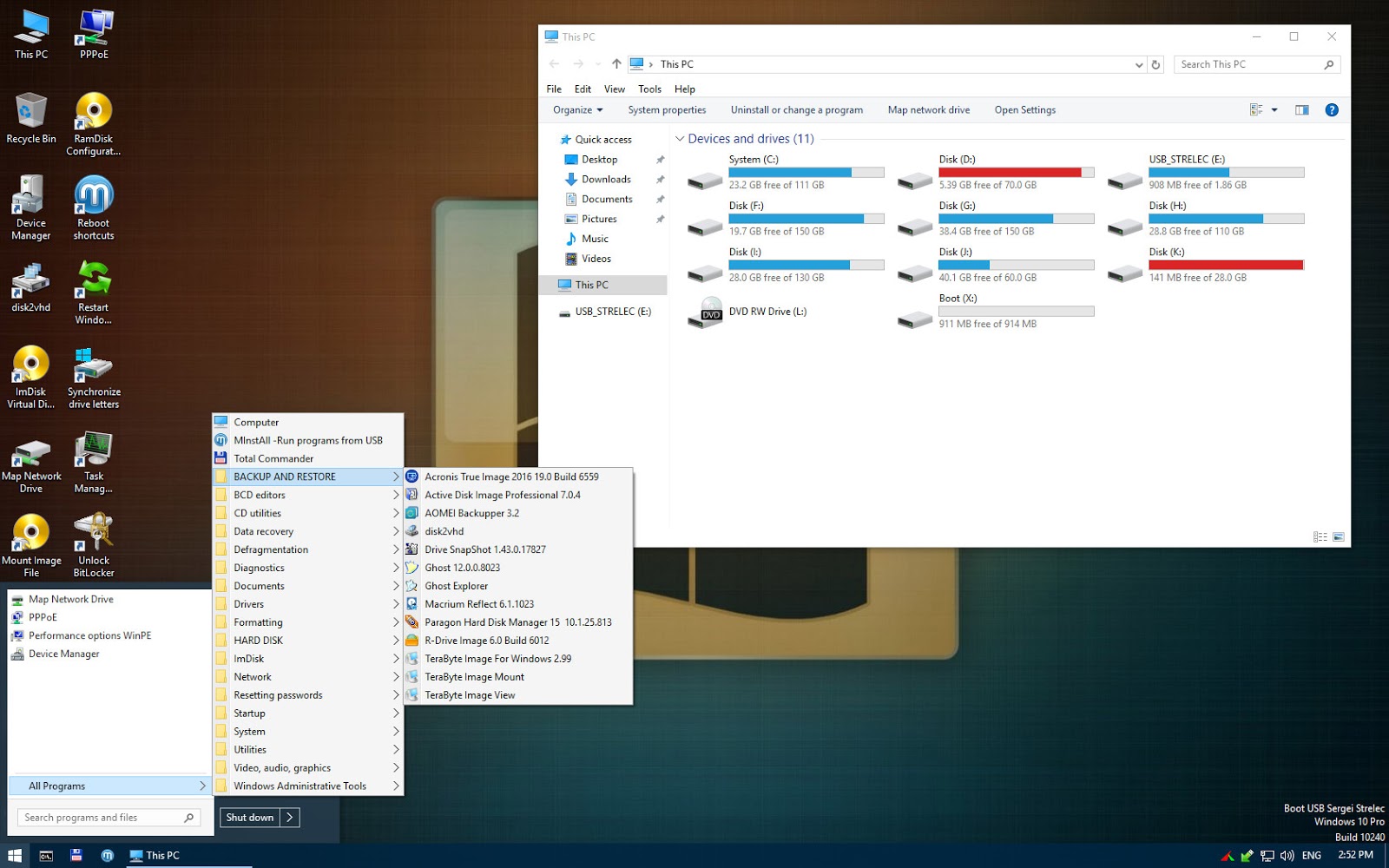
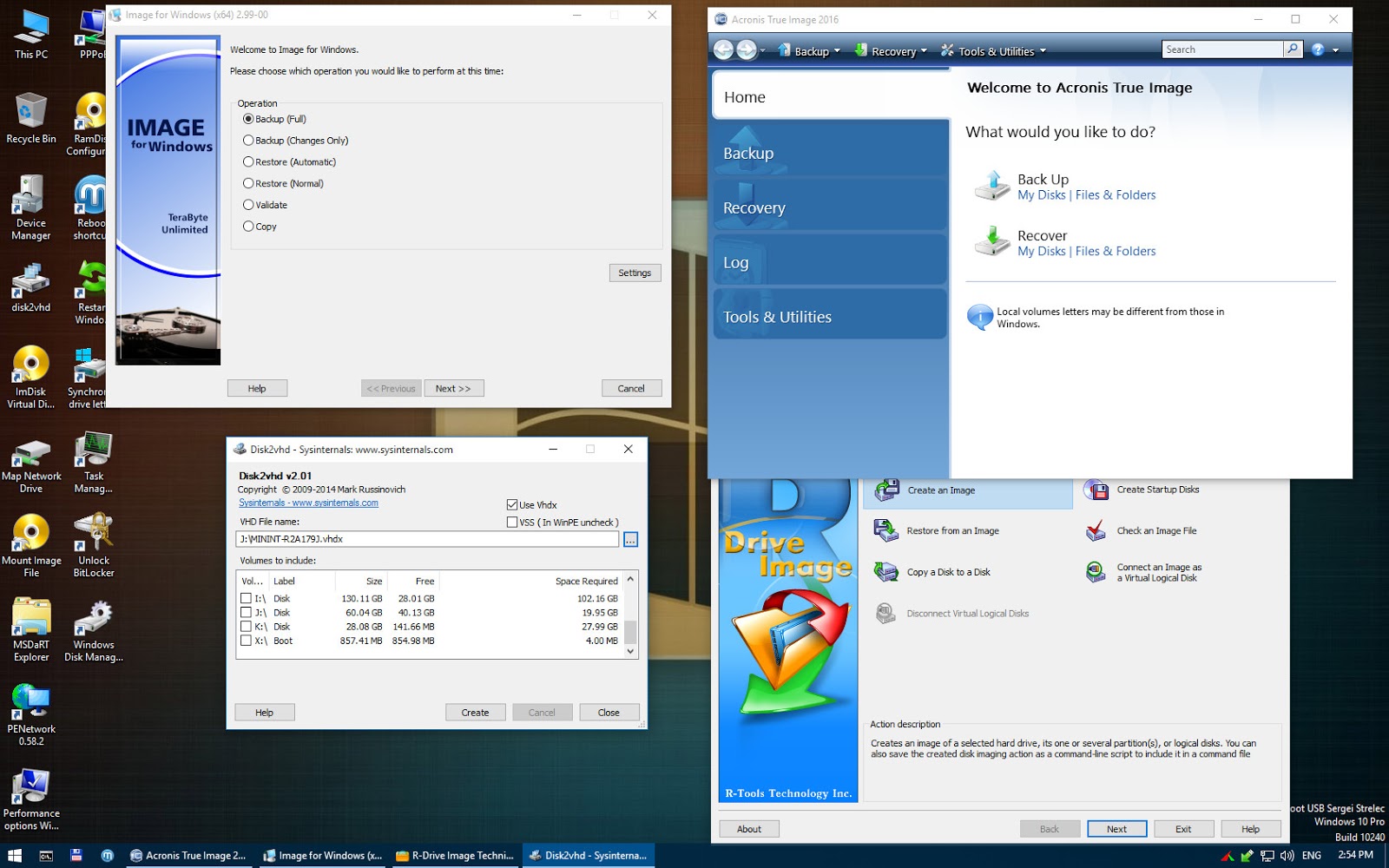
X64 Image contains
Backup and restore
Acronis True Image 41736
Acronis True Image 2019 Build 17750
Acronis True Image 2016 Build 6595
Acronis True Image 2014 Build 6673
Acronis Cyber Protect 15.0.27009
EaseUS Todo Backup 2024 16.5.0 Build 20241016
Active Disk Image 25.0.1
StorageCraft Recovery Environment 5.2.5.37836
R-Drive Image 7.2 Build 7207
Veritas System Recovery 22.0.0.62226
Symantec Ghost 12.0.0.11690
TeraByte Image for Windows 3.64
AOMEI Backupper 7.4.2
Hasleo Backup Suite 5.0.2.2
Drive SnapShot 1.50.0.1640
Macrium Reflect 10.0.8406
Macrium Reflect 8.1.8311
QILING Disk Master 8.0
Disk2vhd 2.02
Hard disk
Acronis Disk Director 12.5 Build 163
Paragon Hard Disk Manager 17.20.17
Paragon Hard Disk Manager 15 10.1.25.1137
MiniTool Partition Wizard 12.9
AOMEI Partition Assistant 10.7.0
AOMEI Dynamic Disk Manager 1.2.0
NIUBI Partition Editor 10.2.0
DiskGenius Professional 5.6.1.1580
Active Partition Manager 23.0.0.0
Defraggler 2.22.995
O&O Defrag 23.0
HDD Low Level Format Tool 4.50
Active KillDisk 25.0.5
Active Disk Editor 24.0.0
DiskCopy 1.4.0.0
Diskpart GUI Micro 2.0
Diagnostics
HD Tune 6.00
Check Disk GUI
Victoria 5.37
Hard Disk Sentinel 6.20
CrystalDiskInfo 9.5.0
CrystalDiskMark 8.0.6
AIDA64 7.50.7200
BurnInTest 8.1 Build 1025
PerformanceTest 10.2 Build 1002
CPU-Z 2.13
HWiNFO 8.20
HDDScan 4.1.0.29
PassMark MonitorTest 4.0 Build 1002
OCCT 10.0.5
Keyboard Test Utility 1.4.0
HDD Regenerator 2024
HDD Regenerator 2011
IsMyLcdOK 5.88
Drevitalize 4.10
Linpack Xtreme 1.1.8
LinX 0.6.5
Network programs
Opera
PENetwork 0.59.B12
TeamViewer 15
Ammyy Admin 3.9
AeroAdmin 4.9 Build 3612
AnyDesk 9.0.2
Supremo 4.11.3.2751
µTorrent 3.5.5
FileZilla 3.68.1
Internet Download Accelerator 6.18.1.1633
PuTTY 0.82
FtpUse 2.2
OpenVPN 2.6.13
UltraVNC 1.4.3.6
TightVNC 2.8.84
Radmin 3.5.2.1
Radmin VPN 1.4.4642.1
Advanced IP Scanner 2.5.4594.1
ZOC Terminal 7.25.5
Skype
Resetting passwords
Windows Login Unlocker 2.3.0.6404
Reset Windows Password 9.3.0.93
PCunlocker 5.6
Simplix Password Reset 5.1
Other programs
UltraISO 9.7.5.3716
PowerISO 9.0
gBurner 5.5
Total Commander 9.00
FastStone Capture 7.7
IrfanView 4.38
STDU Viewer
Microsoft Office 2007
Bootice 1.3.4
Unlocker 1.9.2
7-ZIP
WinNTSetup 5.4.1
78Setup 2.4 (author conty9)
Double Driver 4.1.0
Imagex
GImageX 2.1.1
USB Safely Remove 7.0.5.1320
Media Player Classic
EasyBCD 2.4.0.237
EasyUEFI 5.8
Far Manager 3.0 Build 6161
Dism++ 10.1.1002.1
WinHex 20.8 SR1
CIHexViewer 2.0
TeraCopy 3.6.0.4
FastCopy 3.85
Everything 1.4.1.1026
WinDirStat 2.2.2
TreeSize 9.0.1.1830
HardLink ShellExtension 3.9.2.4
NirLauncher 1.30.12
Remote Registry Editor
Registry Editor PE
Runtime Captain Nemo 7.00
Acronis Shell Extension
OemKey
ShowKeyPlus 1.1.18.0
CMOS De-Animator 3
Paragon HFS+ for Windows 11.4.298
Paragon Linux File Systems for Windows 5.2.1183
Windows Recovery Environment (WinPE 10, 11)
Data Recovery
R-Studio 9.4.191420
Active File Recovery 24.0.2
Active Partition Recovery 24.0.2
Runtime GetDataBack 5.73
Runtime GetDataBack for NTFS 4.33
Runtime GetDataBack for FAT 4.33
Runtime RAID Reconstructor 5.13
EASEUS Data Recovery 19.3.0 Build 20250114
TestDisk 7.2
Recover Keys 11.0.4.233
ShadowCopyView 1.16
Restore WLAN passwords
NetWork
Supported methods and protocols: TCP/IP, NetBIOS, PPPoE, and WLAN (Wi-Fi), WebDAV.
If you want use Wi-Fi – you need to install “wireless network-adapter driver”. Choose “Drivers” section in the “Start Menu”.
Connecting to Wi-Fi require to use “PE Network Manger”, click on tab “Wi-Fi” on it.
Connecting network drives:
Features of connecting network drives in WinPE 10.
If you connect a network drive, in the Username field, should be indicated in the format of “computer name\user name”
or “IP address computer\user name”
Example:
STRELEC-PC\SEREGA or 192.168.0.150\SEREGA
Also, if the automounter.
Example:
net use Z: \\STRELEC-PC\J /USER:STRELEC-PC\SEREGA 123456
or
net use Z: \\192.168.0.150\J /USER:192.168.0.150\SEREGA 123456
Drivers
You can put your WLAN or controller driver in the “SSTR\USER\MY_DRIVERS_x64” or “SSTR\USER\MY_DRIVERS_x86” folder
Driver will be installed while Windows PE is booting.
Booting in UEFI
In EFI mode, the default Microsoft standard EFI boot loader is used.
To expand functionality when booting in UEFI mode, you can switch to the GRUB2 bootloader.
However, booting with Secure Boot enabled on all computers is not guaranteed. So it’s better to turn it off
When booting from GRUB2, there are memory checking utilities and you can also add various
Linux images.
Switch between EFI loaders Microsoft or GRUB2, you need to run the batch file on a flash drive in the EFI/boot folder
_MICROSOFT_EFI.bat – switches to the Microsoft bootloader
_GRUB2_EFI.bat – switches to GRUB2 bootloader
You can always see which boot loader is active by file in the EFI/boot folder
[MICROSOFT_MODE] – Microsoft loaders are active
[GRUB2_MODE] – GRUB2 boot loaders are active
System requirements
1. RAM 4GB
2. PC with the ability to boot from CD/DVD-drive or USB.
List Of Windows PE 10-11
- WinPE11x64
- WinPE10x64
List Of windows PE 11-10-8
- WinPE11x64
- WinPE10x64
- WinPE10x86
- WinPE8x86
- WinPE8x86(Native)
Langkah membuat bootable nya
- Download, extract dan Gunakan => Rufus
- atau gunakan UltraISO yang di sediakan di dalam folder
- setelah itu silahkan gunakan sebagai windows PE yang berjalan di flashdisk
- keperluan nya cukup banyak, bisa membackup data C saat sistem operasi utama error
- itu salah satu contoh nya
New ! ==== WinPE 11-10 Sergei Strelec 2026.03 English
Size: 3.2 Gb | Update 03.2026 English
=> WinPE 11-10 Sergei Strelec x64 English | via MF
=> WinPE 11-10 Sergei Strelec x64 English | via GF
=========================
Old ! ==== WinPE 11-10 Sergei Strelec 2025.02 English
Size: 3 Gb | Update 02.2025 English
=> WinPE 11-10 Sergei Strelec x64 English | via PD
New ! ==== WinPE 11-10-8 Sergei Strelec (x86/x64) 2026.04 English
Size: 4.7 Gb | Update 04.2026 English
=> WinPE 11-10-8 Sergei Strelec (x86/x64) English | via MF
=> WinPE 11-10-8 Sergei Strelec (x86/x64) English | via GF
=========================
WinPE 10 Sergei Strelec hanya versi 64 bit ( jika windows nya tipe 32 bit tapi proccesor nya based x64 ) berarti support untuk menjalankan ini )
WinPE 10 Sergei Strelec (x64) 2016.05.24 English version
Size: 980 Mb | Add recovery 5% | password: www.kuyhaa-android19.com
=> WinPE 10 Sergei Strelec (x64) 2016.05.24 English version | Via OD
=> WinPE 10 Sergei Strelec (x64) 2016.05.24 English version | Via Gdrive